
Quick Answer
Build only the Solar tracker (L): two run a Pressure Chamber overnight and three run a Stone Press. Place panels near your machines, inside the wireless coverage line. Moon Sweepers solar panels supply power wirelessly, so use nearby groups rather than trying to connect distant machines with cables. Check the GRID panel count and the BATTERY reading after placement.
Build Only the Solar tracker (L)
Skip the smaller panels and build the Solar tracker (L). "Build only a large solar tracker. Don't waste your time on anything else. It's not worth it." Each one stores 10 kWh and makes 16 kW in daylight.
| Machine | Solar tracker (L) to run overnight |
|---|---|
| Pressure Chamber | 2 |
| Stone Press | 3 |
Build a few extra if you want headroom; the battery bars on each panel tell you whether the group lasted the night.
Place Moon Sweepers Solar Panels Within Wireless Range
Place your panels close enough that the machines you want to power sit inside the outer coverage line.
Move the coverage line around your target
While placing a panel, use its outer line to judge which nearby targets are within reach. Position the panel around the machine you need to supply before placing it.
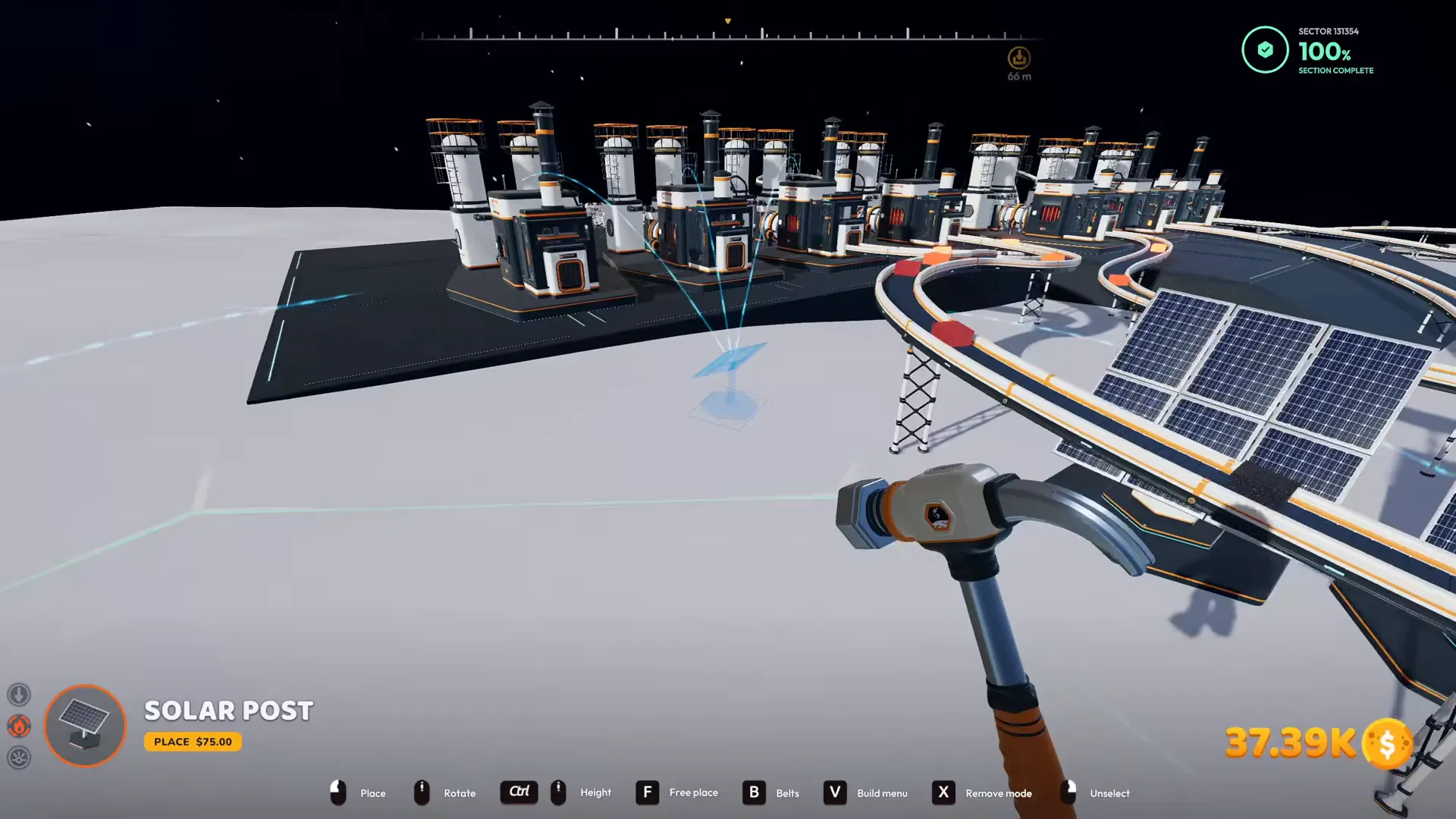
The outer coverage line surrounds a nearby target during placement.
Shown at 00:25 in The Ginger Empire’s video.Keep panel groups near the machines they supply
Build a nearby group for each separate work area. Wireless power still has a range limit, so placing panels far from your machines can leave those machines outside coverage.
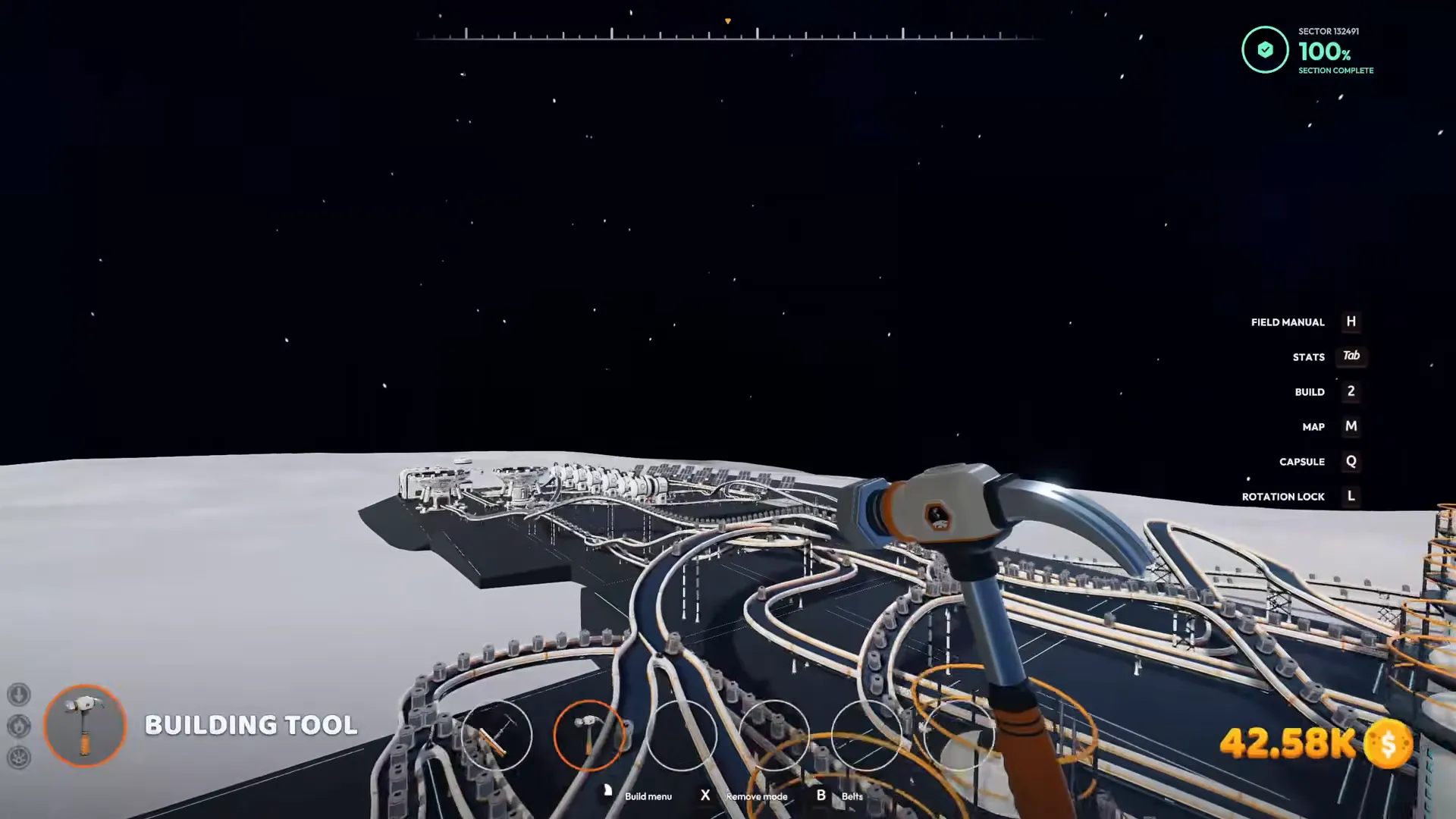
Separate panel groups stand near the machines they supply.
Shown at 02:38 in The Ginger Empire’s video.Read Solar tracker (L) Output and Grid Power Separately
Check OUTPUT for the selected panel and GRID for the combined panel group.
The Solar tracker (L) readout separates wireless range, individual output, battery charge, grid production, and machine demand. Keep those readings separate when deciding whether your setup needs more power.
| ITEM | VALUE |
|---|---|
| Panel | Solar tracker (L) |
| Wireless coverage | WIRELESS POWER • 34 M RANGE |
| Selected panel output | 16 / 16 kW • 2.8 to machines |
| Selected panel battery | 10.0 / 10 kWh • full |
| Shared grid | 7 machines • 19 panels • 300 kW made |
| Machine demand | 54 / 54 kW used |
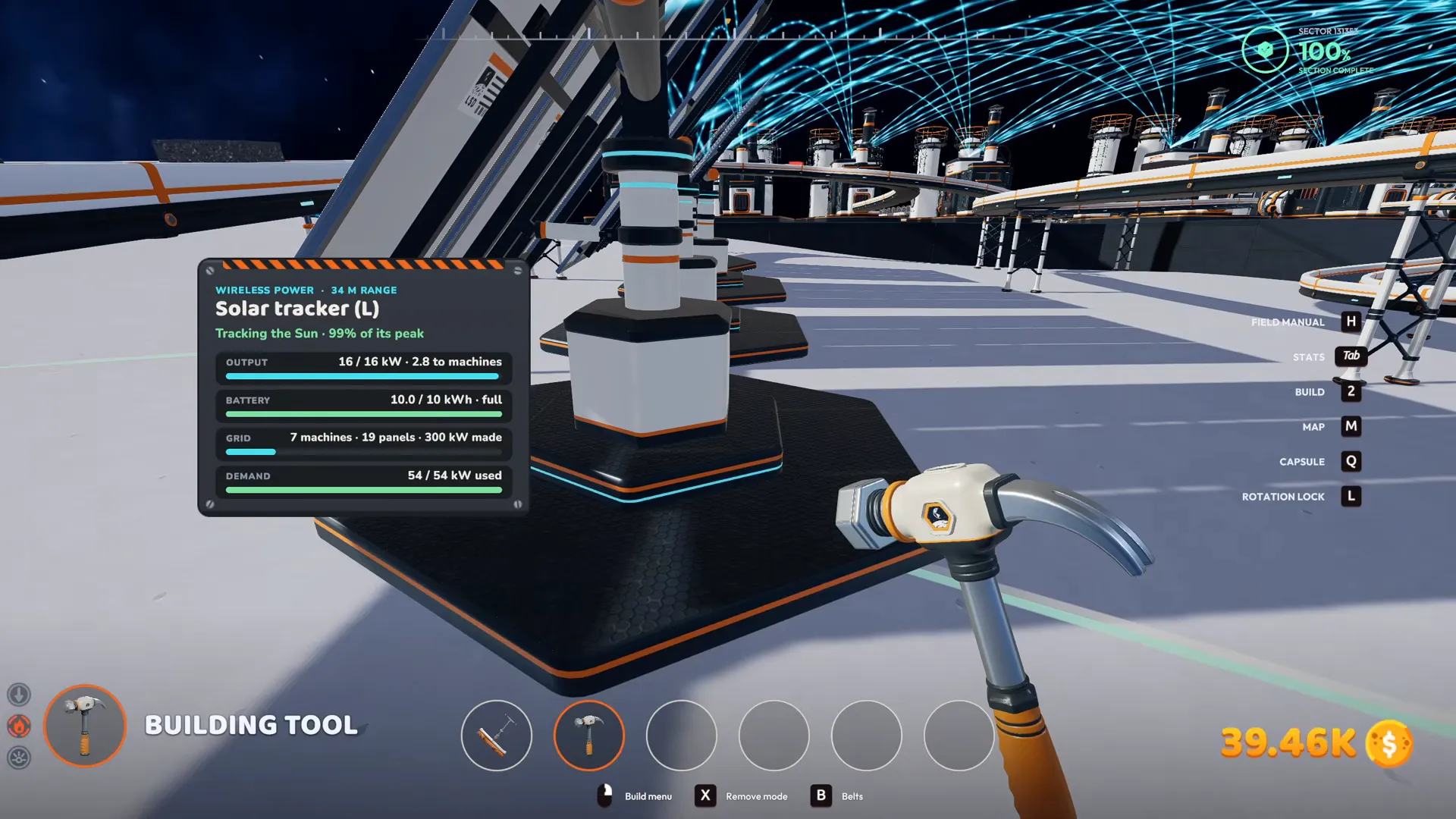
OUTPUT and BATTERY describe the selected panel, while GRID lists the grouped panels and their combined power.
Shown at 01:15 in The Ginger Empire’s video.The 34 M range belongs to Solar tracker (L). Use the placement outline when positioning a panel rather than treating that distance as the range of every panel size.
Add Panels to the Shared Grid and Check the Count
Place another panel with the group, then check that the GRID panel count increases.
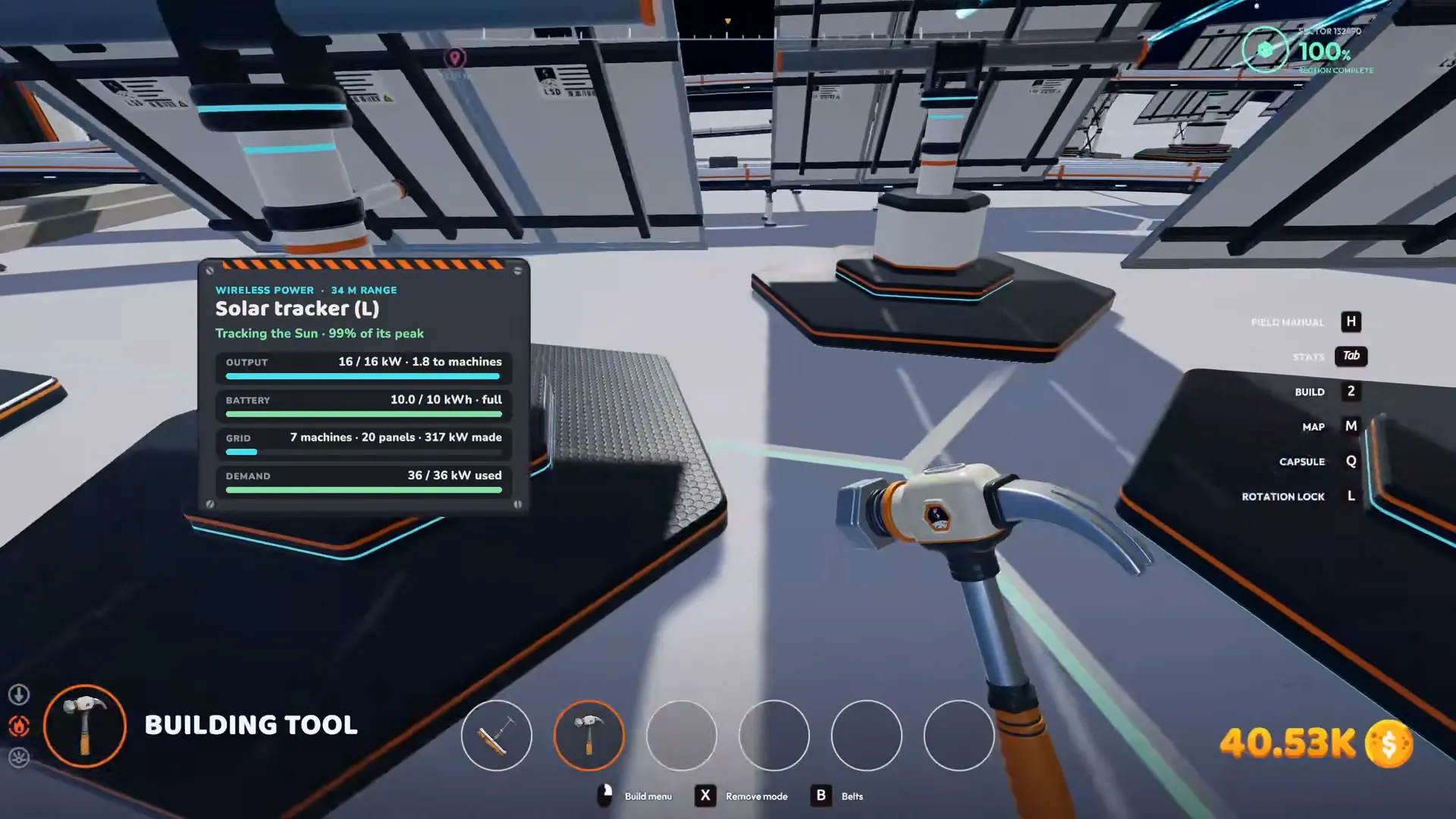
The grouped grid changes from 19 panels to 20 after another panel is placed. Its updated readings are:
| ITEM | VALUE |
|---|---|
| Shared grid | 7 machines • 20 panels • 317 kW made |
| Machine demand | 90 / 90 kW used |
| Selected panel battery | 0.2 / 10 kWh • charging 209 kW |
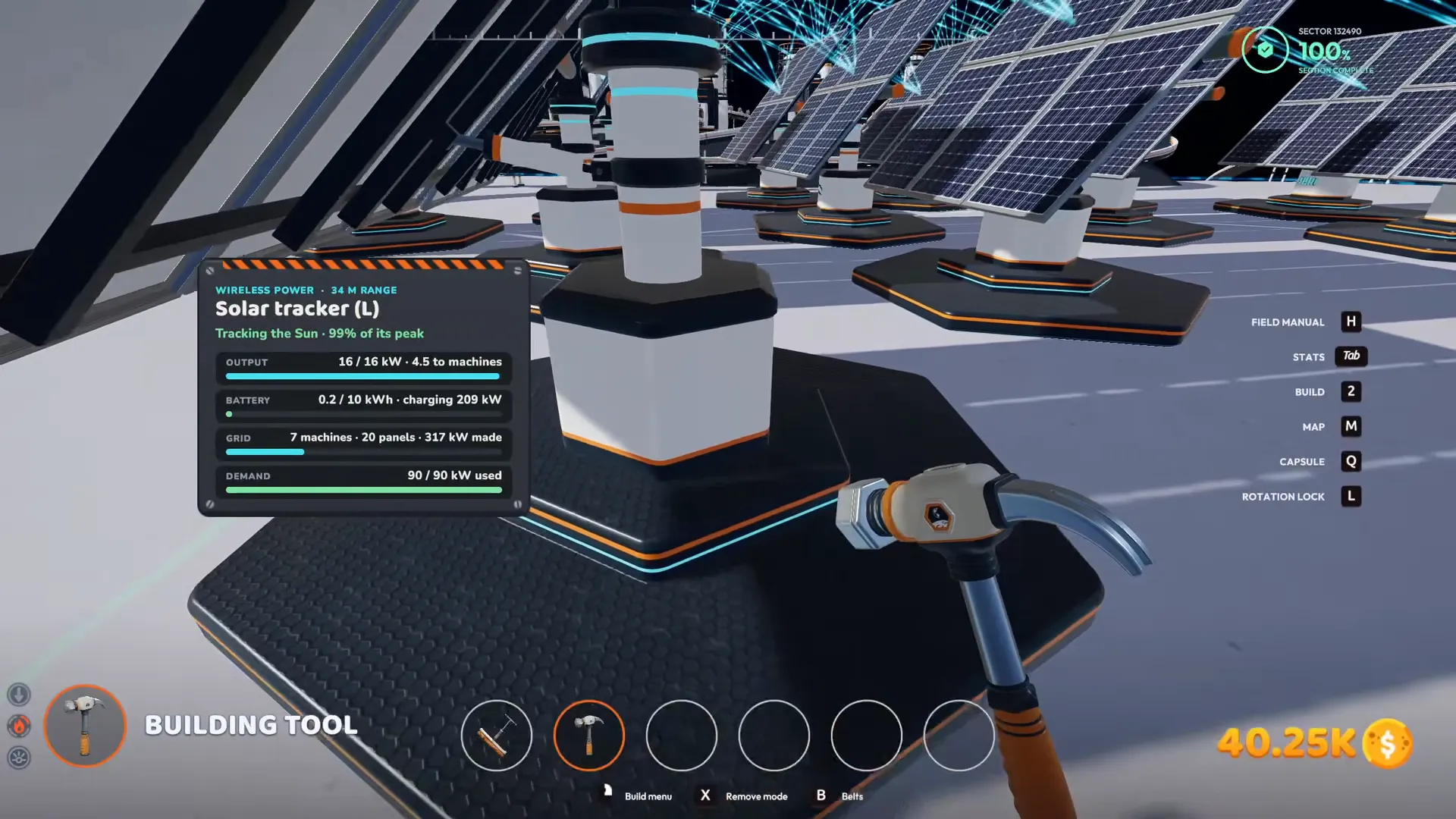
The GRID count is now 20 panels, and the selected battery displays a charging status.
Shown at 01:42 in The Ginger Empire’s video.Check the count before placing more panels. It gives you a direct way to see whether the new panel has joined the group you intended.
Check Solar Panel Battery Charge Before Night
Read the bars on the panel's front and its BATTERY value to check stored charge before night.
The front bars indicate the panel's battery charge. Use the numerical BATTERY reading when you want to distinguish a partly charged panel from a full one.
The bars on the front of the panel indicate its battery charge.
Shown at 01:47 in The Ginger Empire’s video.For planning around darkness, continue to the day and night cycle.
Before you move on, check that your machines are inside coverage, the GRID count includes your added panels, and you have read both DEMAND and BATTERY. Then continue your automation setup or return to power for the rest of your supply setup.
FAQ
Supply power wirelessly by placing panels within reach of your machines. Use the outer placement line to check coverage, then inspect GRID to check the panel group.
Solar tracker (L) displays WIRELESS POWER • 34 M RANGE. Position it using the coverage outline around your intended machines.
Its OUTPUT reading shows 16 / 16 kW. The combined production of nearby grouped panels appears separately under GRID.
Check whether the GRID panel count has gone up. Adding a panel to the group changes the displayed count from 19 to 20.
Look at the front indicator bars or inspect BATTERY for a numerical reading. A full Solar tracker (L) battery displays 10.0 / 10 kWh • full.